How to get my website on Google when it brings no clients
· 5 min read
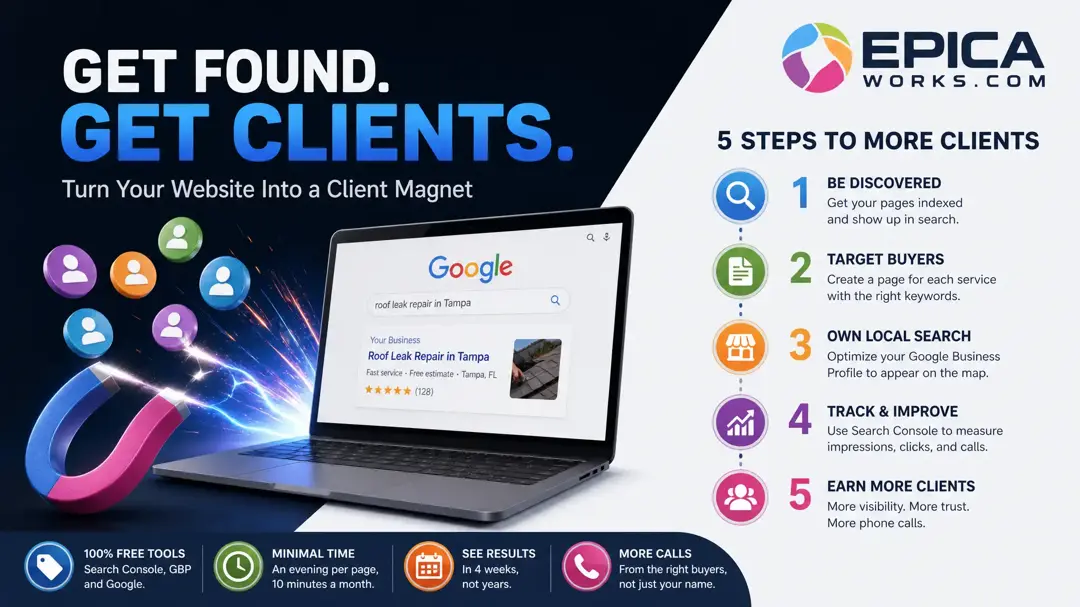
Your website is probably on Google, but only for your name: give each service its own page, titled in the words buyers type, and track it in Search Console. Every tool for this is free; what it costs is a few evenings and a month or two of patience.
A site that brings no clients usually looks fine to its owner. It loads, it has the logo and the phone number, and searching the business name puts it at the top. That last test is the trap: the people who already know your name are not the ones you are missing. The buyers you want type the job and the town, and the question is whether any page of yours answers that search.
First, see what Google already shows for you
Start with two checks that take ten minutes between them.
Search site:yourwebsite.com on Google. Google's own SEO Starter Guide puts it plainly: if you see results pointing to your site, you're in the index. Count the pages listed and compare them with the pages you think you have. A home page and a contact page with no service pages is the most common result on small sites, and it explains most of the silence.
Then open Google Search Console, which is free, verify your site and go to the Performance report. Click Queries and set the date range to the last three months. The report lists the searches that showed your site, with impressions (how many times your site appeared in results) and clicks beside each one, as defined in the Search Console Help page on the Performance report.
Read the list with one question: which rows are not your business name? If every click comes from your name or your street, your site is on Google but invisible to new buyers. That diagnosis decides the next step, so write it down before you change anything.
Give every service a page a buyer can land on
Google shows a page for a search when that page is about that search. A single “Services” page listing eight jobs in bullets is about nothing in particular, so it rarely shows for any of them. The fix is one page per service you want calls for, starting with the one that pays best.
For each page:
- Put the service and the town in the title, in the words a customer uses on the phone: “Roof leak repair in Tampa”, not “Roofing solutions”.
- Answer the first question callers ask about that job in the opening lines: the price range, the area you cover, how soon you can come.
- Keep prices, services and area in the page text, not only inside a photo, a flyer or a PDF. Text is what Google reads first.
- Add proof only you have: photos of real jobs from this year, the brands you install, the towns you have worked in.
- Link the new page from your home page and your menu with its plain name.
That last step matters more than it looks. The same Starter Guide says Google primarily finds pages through links from other pages it already crawled, so a page nobody links to can sit unseen for weeks.
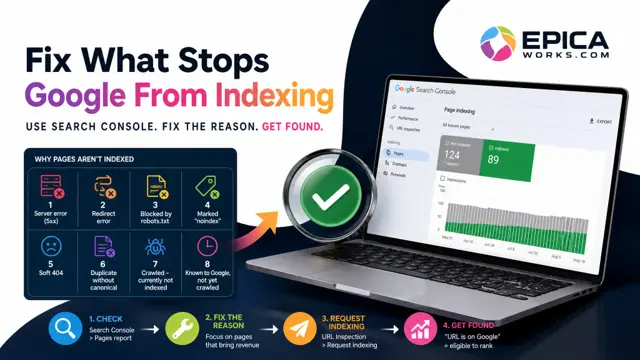
To check it, paste the new page's address into the URL Inspection box at the top of Search Console a few days after you publish. If it says the URL is not on Google, press “Request indexing” on the same screen.
A search with a town in it often goes to the map first
For local jobs, Google tends to show a map with a few businesses before the website links, and your website alone does not put you there. Your Google Business Profile does. Claim it, verify it, pick the main category that matches your main service, and use the same name, address and phone number as your website.
Google's help page on how to improve your local ranking names three things it weighs: relevance, distance and prominence. You cannot move distance, and relevance comes from a complete profile with your services listed. Prominence is where the work goes, and the page says more reviews and positive ratings can help. It also says there's no way to request or pay for a better local ranking on Google, which is worth remembering the next time someone calls offering exactly that.
Send your review link to your last five customers this month, with one line asking them to mention the job they hired you for.
Can you do SEO for free?
Yes. Search Console, your Business Profile, the site: search and Google's own documentation cost nothing, and everything in this post runs on them. What you pay is time: an evening for each service page, ten minutes a month to read the reports.
The part nobody can sell you is speed. Google's guide says it directly:
Some changes might take effect in a few hours, others could take several months.
That is why this route is not for you if the calendar is empty and you need calls next week. In that case, fix your Business Profile first, because it can show in your area sooner, and keep paid ads small and capped until your pages carry their weight.
💡 If you hire help: ask the provider which pages they will write or fix this month, by name, and keep Search Console and your Business Profile in your own name. Google's starter guide admits there are no secrets that rank a site first automatically, so a contract that promises first place is selling the promise, not the work.
How to tell the new pages are working
Give each page four weeks before you judge it. Then open the Performance report again, click “+ New”, choose Page and paste the page's address, so the report shows only that page.
Read the numbers in order. Impressions come first: Google is showing the page for something. Clicks come next: the title is good enough to choose. Calls come last, and the report cannot see them, so ask every new caller how they found you and write the answer next to the date.
If the page has impressions but no clicks, rewrite its title to match the search people used, which you can read in the Queries tab for that page. If it has no impressions at all after a month, check it with URL Inspection again and make sure the home page links to it.
To find which of the five checks behind this fails first for you, from indexing to the call, take the short self-test in the guide on why a website brings no customers.
Pick the service that earned you the most last year and give it that page now: title, first answer, real photos, one link from your home page. Put a reminder on your calendar for 28 days from today that says “filter Performance by the new page”, and when it rings, the report will tell you whether buyers are starting to see it.