Why ChatGPT SEO starts on other people's websites
· 2 min read
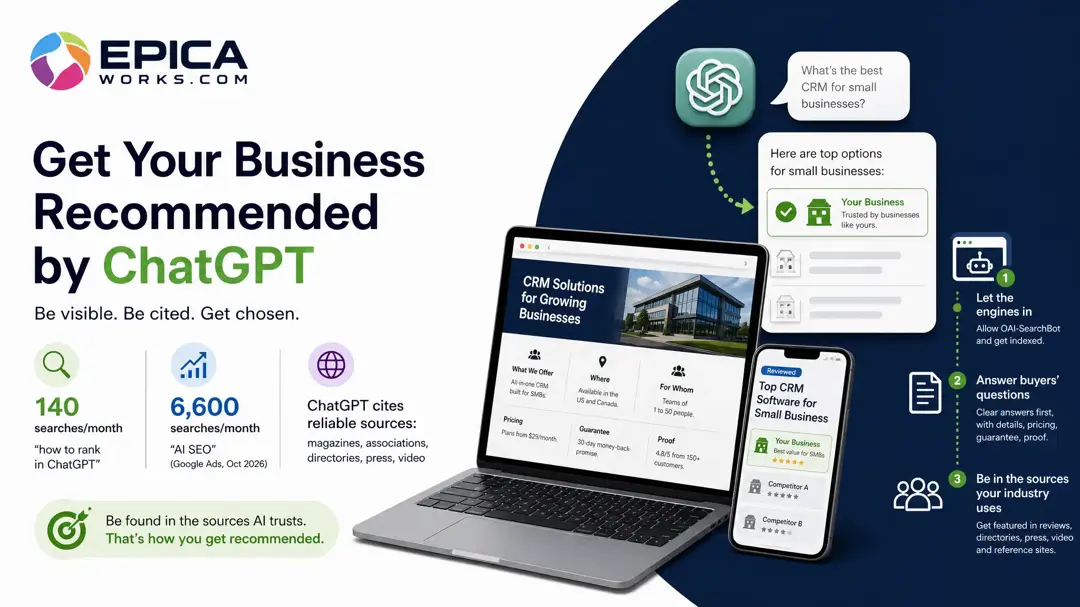
ChatGPT SEO starts on other people's websites because ChatGPT names the businesses it reads about on sites it already trusts. Do two things first: make sure its crawler can read your site, then ask it your customers' questions and write down every site it cites. Those sites are your list.
You ask ChatGPT for the best HVAC company in your town and it names three competitors, citing a review directory, a state energy office's rebate page and a local news roundup. Your website is nowhere in the sources and neither is your name. Nothing about that is fixed by rewriting your homepage, and two of the steps below take less than half an hour.
Step 1: Check that ChatGPT can read your site
ChatGPT reaches web pages through its own crawler, OAI-SearchBot, a program that visits sites and reads them. OpenAI's page on its crawlers is blunt about what happens if it is kept out:
Sites that are opted out of OAI-SearchBot will not be shown in ChatGPT search answers.
A site can block it without anyone deciding to: a robots.txt copied from a template, a security setting at the hosting company, a firewall that treats unknown bots as attacks. To check, type yoursite.com/robots.txt into a browser and read the file. A block looks like a line “User-agent: OAI-SearchBot”, or “User-agent: *” (every bot), followed by “Disallow: /”. Check the same for Googlebot, since Google's AI Overviews read through it.
If you find a block, send whoever runs your site these two lines to add:
User-agent: OAI-SearchBot
Allow: /
The same OpenAI page keeps OAI-SearchBot apart from GPTBot, which collects text for training, so you can refuse training and still be shown in search answers. It also says changes take about 24 hours to reach ChatGPT search, so check again the next day, not the next minute. If there is no robots.txt at all, nothing is blocked there; when ChatGPT still never shows your pages, ask your host about bot or firewall settings.
Step 2: Put what you sell in words it can read
Once the crawler gets in, it can only repeat what your pages say in text. A homepage with “Services” and a phone number gives it nothing to quote when someone asks which installer in town handles rebate paperwork.
Three fixes, each checked by looking at your own pages:
- One page per service, each with a clear title such as “AC replacement in [your town]”, not a single “Services” page.
- Prices or price ranges, the services and the area you cover written as text. Try to select the words with your cursor; if you can't, they sit inside an image and no crawler reads them.
- Nothing important only inside a PDF menu or a booking widget.
Google's robots.txt guide adds one warning worth knowing here: the file manages crawler traffic and is not a way to keep a page out of Google. If someone used it to hide your price list, take the block out.
Step 3: Find the sites ChatGPT cites for your customers' questions
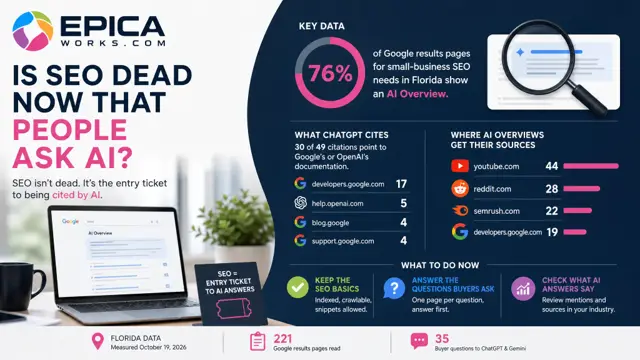
Your Google rankings won't tell you where to work. When we compared seven US trades in October 2026, just 6 of the 70 sites ChatGPT relied on most also sat among the ten sites taking Google's clicks in their trade.
Set aside 20 minutes and do the reading the way a customer would:
- Log out of ChatGPT, so your own history doesn't shape the answer.
- Write five customer questions the way people ask them on the phone, with your town: “Who can replace my AC this week in Tampa?”, “Is it worth repairing a 15-year-old furnace?”.
- Ask all five in ChatGPT, then in Gemini. Ask both because they cite different sites: in 9 of the 17 trades we measured, Gemini put businesses of the trade itself among its top three sources, while ChatGPT leaned on guides and authorities.
- In a sheet, write one row per cited site: the question, the assistant, the date, the site, and whether it named a business.
One answer is one draw. Repeat the same five questions next month before you treat any site as a fixture.
Step 4: Sort the list and pick one site
Your sheet will hold more sites than you can act on, and many cannot help you. In 10 of the 17 trades we measured, ChatGPT's most-cited source was an official site, a government body or the official gazette, and those never list a business. Cross them out, then cross out your competitors' own sites.
What is left usually falls into four kinds, and each has a different way in:
| Kind of site | How you get on it |
|---|---|
| Review directory | Claim the free profile, ask recent customers to review |
| Trade association | Join, or check you appear in its member list |
| Local press | Pitch a story about a real job or a seasonal problem |
| Guide or roundup | Ask the author what it takes to be considered |
Pick the one that shows up in the most answers and that you can get onto this month. Use the same business name, address and phone as on your website, word for word, wherever you list yourself.
Who can stop at the first step for now: a business booked solid through referrals, or one serving a single small town, where the Business Profile on Google does most of the work.
Today, run step 1 with the free robots.txt check in our guide; it takes a minute. Then put 20 minutes in your calendar this week for step 3, and finish it with one site circled on your sheet. To see which sources ChatGPT and Gemini cite before you start, the industry cards list them trade by trade.