What AI search optimization asks of your website, and what it doesn't
· 5 min read
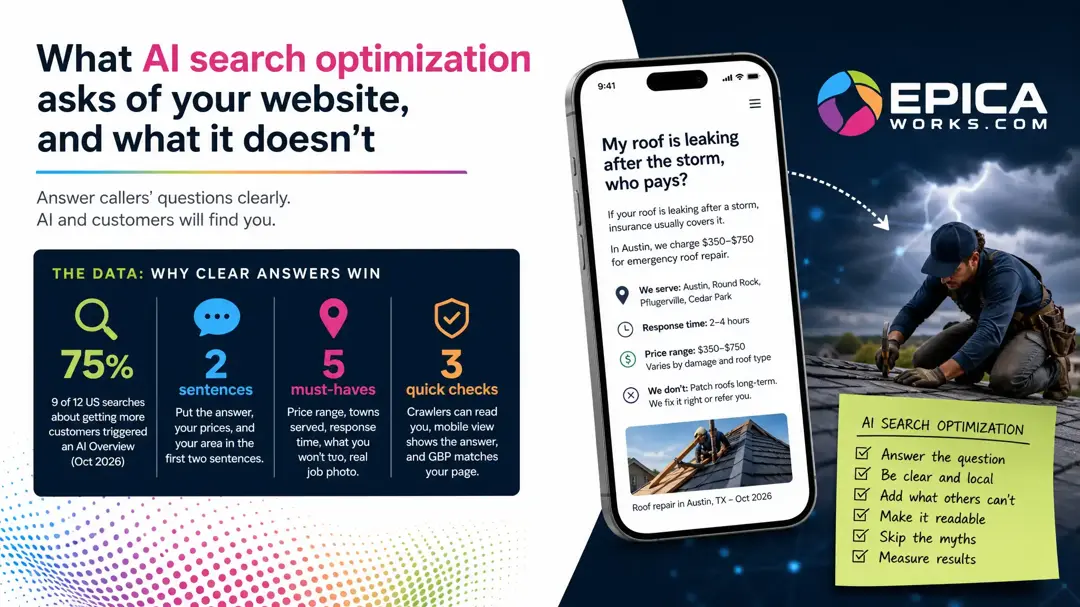
Start with one page: the question customers ask you most by phone, answered in its first two sentences, with your prices, area and real jobs in plain text, on a site Google's and OpenAI's crawlers can read. That is most of AI search optimization; AI files and code are not.
Perhaps it started with an agency email promising to make your site “AI ready,” followed by a list of technical terms and no way to tell which one matters. You can do almost all of it yourself in an evening or two; only the crawler check may need whoever runs your site.
Pick the question you answer on the phone every week
For one week, keep a sheet by the phone and mark every question a caller asks before they book. A roofer hears “Does insurance cover a storm leak?”, a dentist “Can a cracked tooth wait until Monday?”, an accountant “What can I deduct as a sole proprietor?”. On Friday, the line with the most marks is your page.
Write the question down in the caller's words, not your service's name. “Emergency roof repair” is what you sell; “my roof is leaking after the storm, who pays?” is what gets asked, and it is what a person types into ChatGPT or Google.
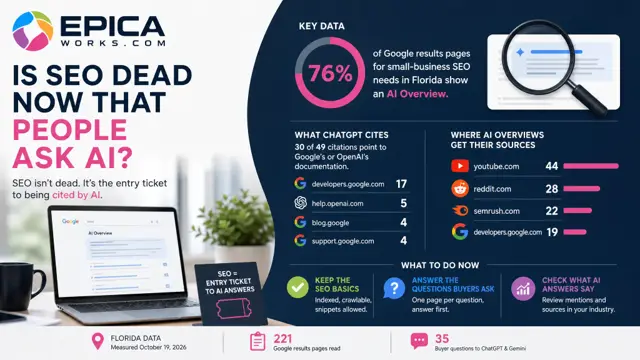
The reason this page comes first is what searchers now see before any link. Google showed an AI Overview, its AI summary above the results, on 9 of 12 US results pages we read for searches about getting more customers (October 2026). That summary is assembled from pages that answer a question plainly, so a page that opens with the answer is the kind it can use.
Write the page the way you answer the call
Put the answer in the first two sentences, with your town and your price range in them. Then add what only you can write, because Google's own guide to optimizing for generative AI features asks for content that adds something the rest of the web does not already say:
Don't just recycle what others on the internet have already said, or could easily be produced by a generative AI model.
What only you can write is usually five things. The price range and what moves it up or down. The towns you cover, named in the text. How long the job takes from the first call. What you will not do, and why. One photo of a real job, captioned with where and when it was taken.
To check it, read the first two sentences to someone who does not know your business. If they can repeat the answer back, with a price and a place, the page is doing its job.
Make sure Google and ChatGPT can read it
Text has to be text. If your prices, hours or service area sit inside an image or a downloadable PDF, a person can see them and a search engine may not use them, so type them into the page itself.
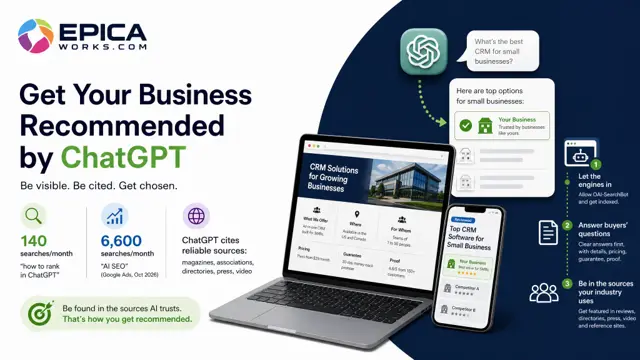
Then open yourdomain.com/robots.txt in a browser. Look for a block that names OAI-SearchBot or Googlebot, or User-agent: *, followed by Disallow: /; that line shuts the crawler out. OpenAI's page about its crawlers says OAI-SearchBot is what surfaces websites in ChatGPT's search features and recommends allowing it. The free check in our guide to getting recommended by ChatGPT reads the file for you in a few seconds.
Two more checks take minutes. Open the page on your phone and make sure the answer shows without scrolling past a banner. And look at your Google Business Profile: Google's guide says business profiles can help your products and services show up in AI responses, so the services listed there should match the page you just wrote.
What you can skip
A good part of what is sold under this name is work Google says its search does not need. The same guide lists the myths, and these are the ones that land in a small business's inbox:
- An llms.txt file, or any other AI text file. Google Search ignores them, so for Google they neither help nor hurt; other services may read one.
- Cutting every page into small pieces for the machine. Google says there is no requirement to break content into tiny pieces.
- Rewriting your text in a special style for AI, or stuffing it with every long version of a search phrase.
- Structured data added only for AI. Google says it is not required for generative AI search, though it still helps with rich results in ordinary search.
- Buying mentions. The guide says seeking inauthentic mentions across the web is not as helpful as it might seem.
When an agency proposal lists any of these as the main deliverable, ask which engine uses it and where that engine says so.
None of this is urgent if referrals and repeat customers already fill your calendar. And if you serve one small town, a complete Google Business Profile with recent reviews does most of the work this page would.
How to tell it worked
For Google, open Search Console and go to Performance, then the Generative AI performance report. It counts how many times links to your pages appeared in AI Overviews and AI Mode, and you can filter by page. Note the figure for the page you rewrote on the day it goes live and look again a month later.
For ChatGPT there is no report, so ask it yourself. Open a private window, stay logged out, and type the page's question the way a caller would, with your town in it. Write down every business and site it names, and the date. One answer is one draw, so ask the same question three times and keep all three; repeat the set a month later and compare the lists.
This week, put that sheet next to the phone. By Friday you will have the question, and the first two sentences of its page are the next thing to write. If you would rather start from the questions buyers in your trade actually put to ChatGPT, Epica's free analysis runs them against your site.