How local SEO gets you on Google Maps in your area
· 5 min read
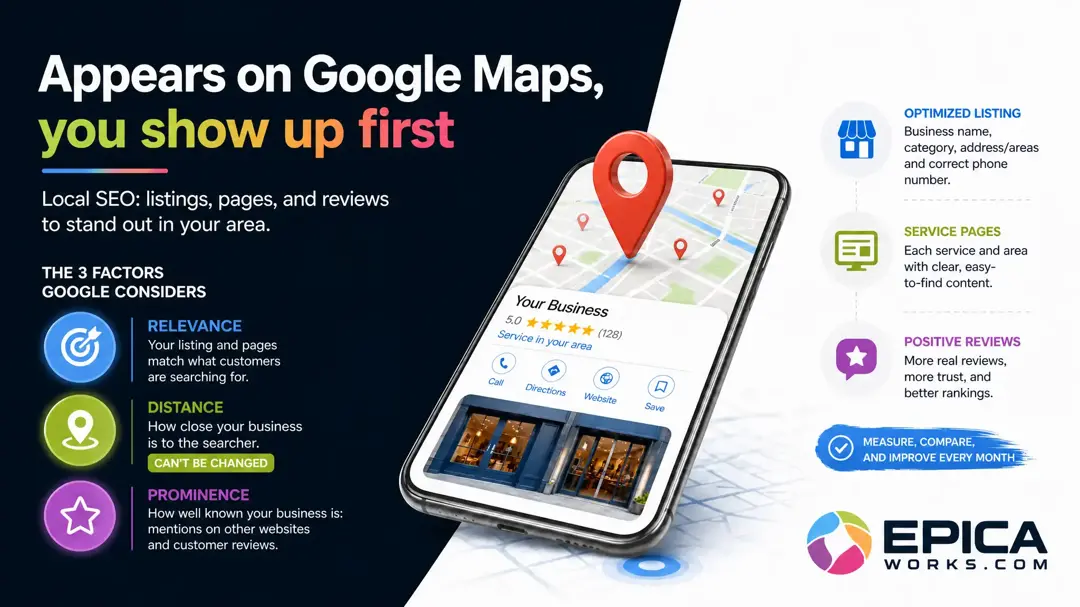
Local SEO is what puts your business in Google's map results near a buyer, and the parts you control are your profile, your service pages and your reviews. Distance from the person searching is the one part nobody can change, so every hour goes into the rest.
What Google weighs when it builds the map
Google's help page on improving your local ranking names three things: relevance, distance and prominence. Relevance is how well your profile matches the search. Distance is how far you are from the person searching, and when they don't share where they are, Google uses what it knows about their location.
Prominence is how well-known the business is, and Google ties it to how many websites link to you and how many reviews you have. That splits the job cleanly. Distance is fixed: no edit moves your shop closer to a customer across town, and no payment does either, because Google says there's no way to request or pay for a better local ranking.
Before any of it counts, the profile has to be claimed and verified, in the owner's Google account. Google says verification tells it you are authorized to represent the business, which makes the profile more likely to show up. Do that step yourself and add whoever helps you afterwards, so the profile stays yours when the help leaves.
Make the profile match what people search
Relevance starts with a few fields, and the rules on them are stricter than most owners expect. Google's guidelines for representing your business say your name should reflect your real-world name and must not carry extra information. “Joe's Plumbing” is a name; “Joe's Plumbing Tampa Emergency 24/7” breaks the guidelines, however often you see it on the map.
The same page asks for the fewest categories that describe your core business, picked from the most specific ones on the list. Choose the main category for the job that pays the bills and leave out the loosely related extras.
The address decides how the map treats you. If customers come to you, use your real address; P.O. boxes and remote mailboxes are not accepted. If you go to them, you are a service-area business: hide the address and list the areas you cover. Google's service area help gives the path (Edit profile, then Location, then Edit next to Service area) and the limits: up to 20 areas by city or postal code, never a radius around your base, and a boundary within about two hours' drive.
Use a local phone number the business controls, not a call center line, and print the same one on your website. Photos, posts and the finer settings are a job of their own; get these four fields right first.
Give the map a page on your website to read
Google's guidelines ask for a website that represents your business at that location, never a link that redirects people to a landing page somewhere else. For a business with one location that is usually the home page. Make it confirm the profile, word for word: the same name, the same address or area, the same phone, in text a person could copy.
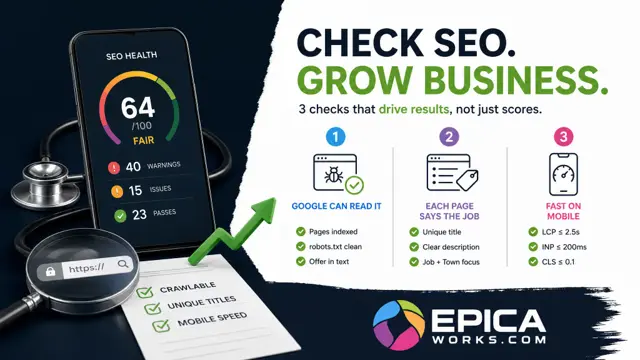
Then give each service you want calls for a page of its own, with the service and the towns you cover in its title and first lines. Write the price range, the area and the jobs into the text itself, since a menu scanned as an image or a PDF price list says little to a crawler. Open yourwebsite.com/robots.txt and check that no rule blocks Googlebot; a page Google cannot crawl tells it nothing about you.
Get named on the sites that already name your rivals
Prominence comes from outside your own pages. Links from other websites and reviews are the two signals Google names, and the fastest way to find where to earn both is to ask the way your customers do.
Log out, open ChatGPT and Gemini, and ask five questions a customer would ask, with the town in each: “best roofer in Sarasota for a leak”, “who fixes AC the same day in Tampa”. Write down every site cited in each answer. Cross out government sites and your competitors' own pages; what is left (a directory, a trade association, a review site, the local paper) is where a listing of your own can go up this month.
Claim the profile on one of those sites, with the same name, address and phone as your website, and ask three recent customers to leave a review there. On Google itself, more reviews and positive ratings can help your local ranking, the help page says, so send your profile's review link as each job closes, while the customer still remembers it.
💡 Hunt down old listings: search your phone number in quotes on Google. Every page that shows a former address or an old business name tells customers something different from your profile; correct it or ask the site to remove it, starting with the ones at the top.
Check where you show, from where your customers stand
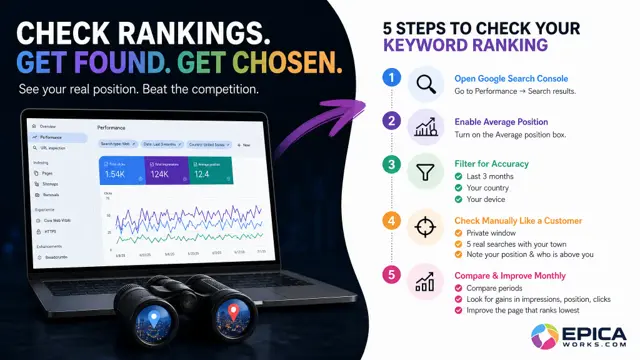
Because distance counts, there is no single map position to track: a search from your shop and one from a customer's street return different businesses. So check from where your buyers are. On your phone, in a private window, search your main service from the neighborhoods you want work in, or add the town to the search when you can't be there, and write down the businesses on the map each time.
Repeat the same searches from the same places once a month and date each reading. One search is one draw; only the readings side by side tell you whether a change moved you.
If you sell only online and never meet customers in an area, the map is not your channel and none of this applies. Your website's ordinary search results are, and the guide on why a website brings no customers runs through those checks in order.
This week, open your profile next to Google's guidelines and fix the name, the main category and the address or service areas in one sitting. Then pick the three neighborhoods where last year's best jobs came from, search your main service from each, and save the three lists of names in a note dated today: it is the baseline every later reading gets compared with.