Which fits your business, Google Ads or Local Services Ads?
· 5 min read
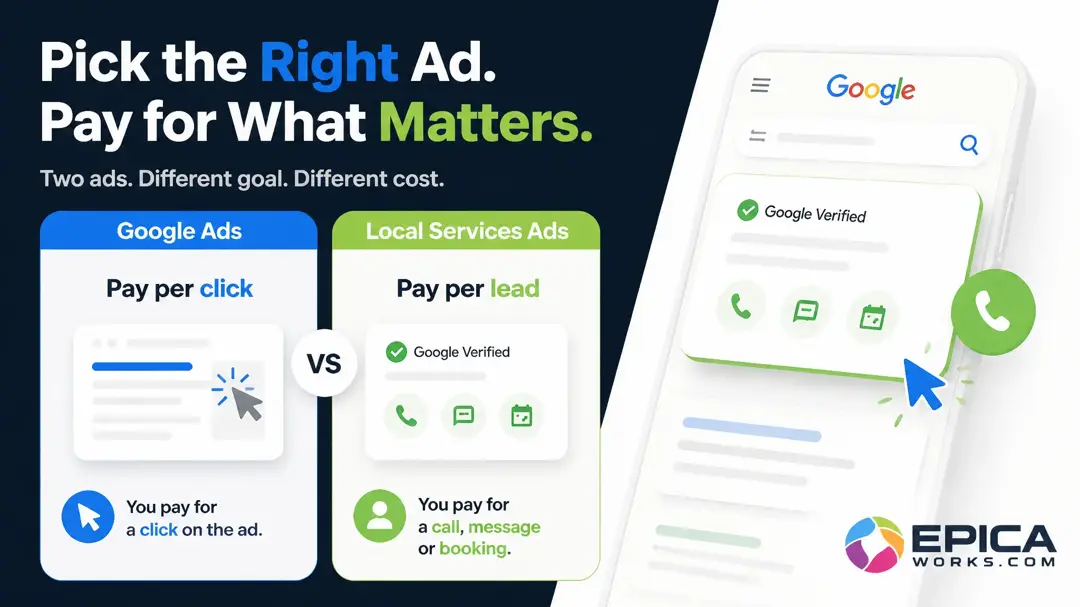
Pick Local Services Ads if you are a home or local service trade Google lists and you want to pay per call; pick Google Ads if your trade is not listed.
Most owners asking this have already spent a few hundred dollars on clicks that never rang the phone. The two products sit on the same results page but charge for different things, and that difference decides which one fits a service business.
What you pay for in each
Google Ads charges for attention. In Google's words, cost-per-click bidding “means that you pay for each click on your ads,” and your maximum bid is “the most you'll typically be charged for a click.” A click that reads your page and leaves still costs you.
Local Services Ads charge for contact. Google's lead rules list what counts: a call you answer, a call you miss during business hours where the customer stays on the line for more than 20 seconds, a text or email, a voicemail, and in the US and Canada a booking request. Follow-up calls with the same customer within 15 days are not charged again, and leads Google judges invalid or low quality are not charged at all.
| Google Ads (Search) | Local Services Ads | |
|---|---|---|
| You pay for | a click on the ad | a call, message or booking |
| Who can run it | almost any business | only the categories Google lists |
| What you control | keywords, ad text, landing page | service types, area, hours, weekly budget |
| Trust signal | none by default | the Google Verified badge |
| Where it shows | above and below the results | a box at the top of the results |
That is the unit you pay for, and it is the whole decision for most trades: a plumber wants calls, so paying per call removes the step where clicks have to turn into calls on your website.
Check whether your trade and town can run them
Local Services Ads are not open to everyone. Google's Local Services Ads overview says they “are available only for certain service categories,” and the US list runs from plumbers, electricians and HVAC to locksmiths, lawyers, dentists and financial planning services. Some categories are limited to certain states.
Do two checks before you decide anything. First, open that overview, find your category, and run the eligibility check it links for your zip code. Second, ask the way your customers do: log out of Google, or open a private window, and search the five phrases a customer types before calling you, with your town in each, such as “water heater repair Orlando”. Write down whether a box with the Google Verified badge appears at the top, and which businesses fill it.
If the box shows up on your searches with competitors in it, those competitors are getting calls you are not bidding for. If it never shows, the choice is made for you: Google Ads is the product that reaches those searches.
When Local Services Ads are the better buy
They fit a business that lives on the phone. Roofers, plumbers, cleaners, movers and pest control get most of their work from a call, and the customer rarely needs to read a website first. Paying per lead means a weak website costs you less.
The trade off is screening and upkeep. You go through Google's business checks to get the badge, you need reviews, and Google says your ad ranking can drop if you leave many calls or messages unanswered. A two-person crew that cannot pick up during the day will pay for missed calls that last over 20 seconds and slide down the box.
You also give up control. You choose service types, area and a weekly budget; you do not choose keywords or write the ad. If a lead is wrong for you, such as a job type you do not do, rate it on the Leads page so Google can review it.
When regular Google Ads are the better buy
Google Ads fit when your category is not on the list, when you sell something a customer compares online before calling, or when you need a landing page to explain price and options.
They also fit when you want to pick the exact searches. A Search campaign lets you bid on “emergency AC repair” and exclude “AC repair jobs”, which Local Services Ads cannot do. The cost of that control is that you pay for every click, so the page the click lands on has to turn readers into calls. If your website has one page for everything, fix that before you spend on clicks.
Some trades run both: Local Services Ads for the calls at the top of the page, and a small Search campaign for the services the category does not cover.
Run a four-week test and read the leads
Do not judge either product on a feeling. Pick one, set a budget you can lose without worry for four weeks, and keep a sheet with three columns: the leads or calls you received, the ones you could actually serve, and the ones that became a booked job.
For Local Services Ads, the leads list in your account shows every call and message; mark the poor ones in the feedback survey on the Leads page. For Google Ads, count the calls that came from the ad, not the clicks. At the end, divide what you spent by booked jobs. That cost per booked job is the only number that compares the two, because one charges per lead and the other per click.
Skip both if your calendar is already full, or if you serve one small area where a complete Google Business Profile and a review from every customer already fill your week.
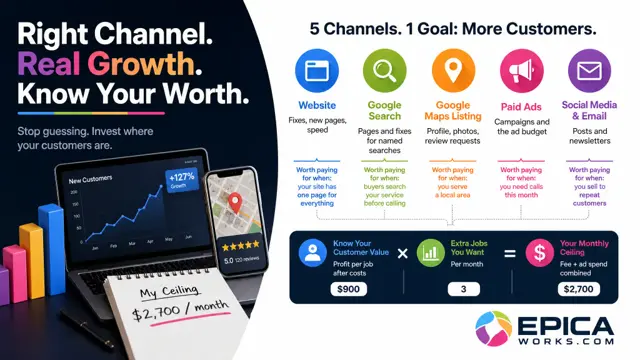
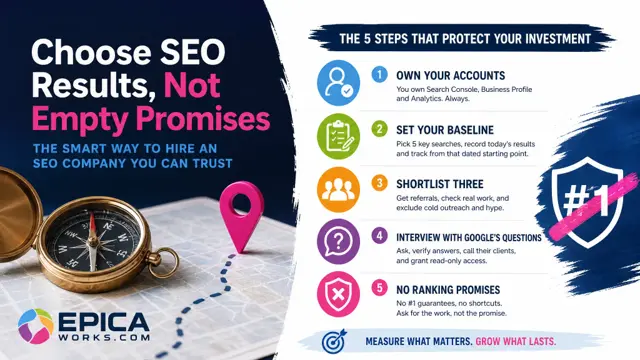
This week, do the logged out search for your five customer phrases and note whether the Google Verified box appears. If it does, set up Local Services Ads first; if it does not, start with a small Search campaign on those same five phrases. Before you hand either one to someone else, the five checks in our guide to choosing marketing help tell you what to ask for in writing.